Edit a Specification Area
Things to Consider
Additional Information:
You can only edit the name and description of a specification area. If you want to edit the existing specification section numbers and descriptions, see Edit Specification Sections and Divisions.
Steps
Navigate to the Specifications tool.
Click the Specification Areas page if you are already in a specification area.
Note: Each area shows the name of the area, when it was updated and created, and how many specifications it contains.Click the vertical ellipsis
 on the specification area you want to edit.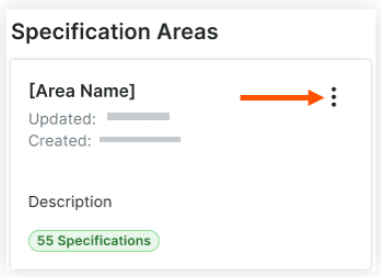
Click Edit.
Edit the specification area name or description.
Click Save.

See Also
Loading related articles...