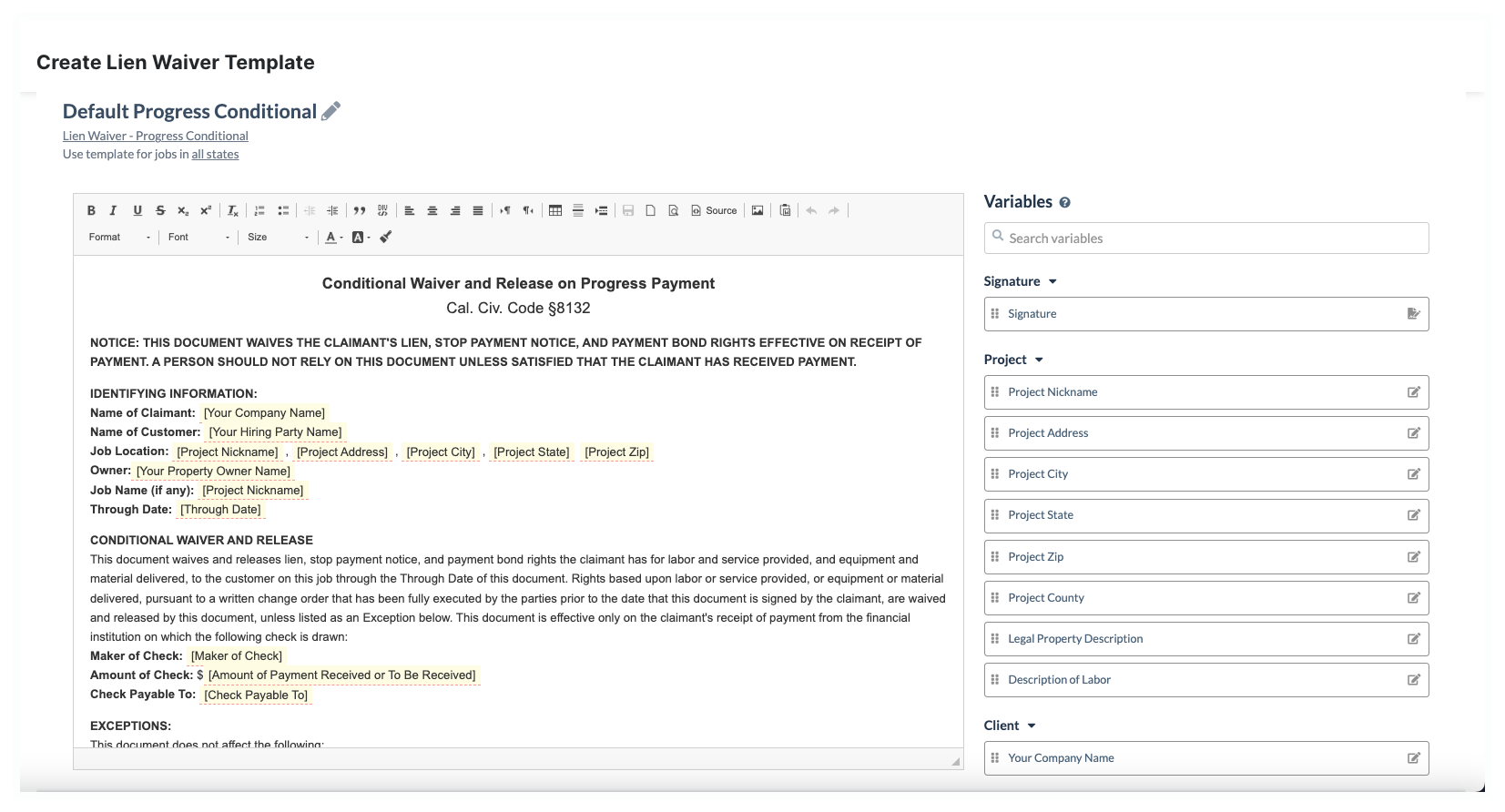
Variables | Subcontractor Mapping | Sub-Tier Mapping | Owner Mapping |
|---|
Total Contract Amount | Maps to the 'Revised Contract Amount' of the invoice's commitment contract. | Maps to the 'Est. Contract Amount' for the subtier. | Maps to the 'Revised Contract Amount' of the invoice's prime contract. |
Contract Number | Corresponds to the 'Contract #' of the invoice's Commitment Contract. | Prompts signer to enter the information. | Corresponds to the 'Contract #' of the invoice's Prime Contract. |
Contract Date | Corresponds to the 'Signed Contract Received Date' of the invoice's Commitment Contract. | Prompts signer to enter the information. | Corresponds to the 'Signd Contract Received Date' of the invoice's Prime Contract. |
Total Amount Claimed to Be Due | Corresponds to the 'Current Payment Due' amount from Line 8 on the invoice's Subcontractor's Application for Payment. | Corresponds to the 'Amount this invoice' for the subtier requisition. | Corresponds to the 'Current Payment Due' amount from line 8 on the Prime's Application for Payment. |
Executed Amendments to Contract Price/Change Orders | Corresponds to the 'Net Change by Change Orders' amount from Line 2 on the Subcontractor's Application for Payment. | Prompts signer to enter the information. | Corresponds to the 'Net Change by Change Orders' amount from Line 2 on the Prime's Application for Payment. |
Value of Work Completed to Date | Corresponds to the 'Total Completed and Stored to Date' value from Line 4 on the Subcontractor's Application for Payment. | Prompts signer to enter the information. | Corresponds to the 'Total Completed and Stored to Date' value from Line 4 on the Prime's Application for Payment. |
Total Payable to Date | Corresponds to 'Less Previous Certificates for Payment' on line 7 of the Contractor's Application for Payment. | Prompts signer to enter the information. | Corresponds to 'Less Previous Certificates for Payment' on line 7 of the Prime's Application for Payment. |
Amount of Payment Received or To Be Received | Maps to the 'Total' on the subcontractor invoice's Schedule of Values. | Maps to the 'Amount this invoice' for the subtier requisition. | Maps to the 'Total' on the Prime Invoice's Schedule of Values. |
Maker of Check | Your Company Name (as configured on the Office selected in Project Admin). | The 'Contract Company' on the Commitment. | Owner/Client Vendor Name on Prime Contract. |
Retainage Amount | Shows the Line 5 'Total Retainage' amount (Line 5a + Line 5b) on the Subcontractor's Application for Payment. | Prompts signer to enter the information. | Shows the Line 5 'Total Retainage' amount (Line 5a + Line 5b) on the Contractor's Application for Payment. |
Through Date | Maps to the 'Period End' date on the 'General Information' card on the 'General' tab in the subcontractor invoice contract.
Note: When creating an invoice, the 'Period End' matches the 'End Date' of the Open billing period in the Project level Invoicing tool by default. However, the 'Period End' can be changed on the invoice. | Maps to the period end date for the invoice against which the subtier requisition is tracked (i.e. not necessarily the invoice against which we may be collecting the waiver) | Maps to the 'Period End' date on the 'General Information' card on the 'General' tab in the Prime invoice contract. |
Invoice Number/Payment Application Number | Corresponds to the 'Invoice #' of the invoice. | Prompts signer to enter the information. | Corresponds to the 'Invoice #' of the invoice. |
Billing Period Start Date | Maps to the 'Invoice Period Start Date'. | Maps to the 'Invoice Period Start Date'. | Maps to the 'Invoice Period Start Date'. |
Billing Period End Date | Maps to the 'Invoice Period End Date'. | Maps to the 'Invoice Period End Date'. | Maps to the 'Invoice Period End Date'. |
Check Payable To | Contract Company named in the Commitment. | Maps to the 'Sub-Tier Company Name' in the first-tier subcontractor invoice. On a sub-tier lien waiver with a joint check, maps to the name of the first-tier subcontractor (corresponds to the 'Contract Company' on the commitment) and the sub-tier contractor (corresponds to the 'Sub-Tier Company Name' on the first-tier subcontractor invoice). | Your Company Name (as configured on the Office selected in Project Admin). |
Project Number | Maps to the Procore project number. | Maps to the Procore project number. | Maps to the Procore project number. |
Contract Amount Plus Change Orders | Shows the 'Schedule Value' plus the value of an 'Approved' change orders on a subcontractor invoice. | Prompts signer to enter the information. | Shows the 'Schedule Value' plus the value of an 'Approved' change orders on a Prime Contract invoice. |
Total Completed and Stored | Maps to the 'Total Completed and Stored to Date' ($) on the subcontractor invoice. | Prompts signer to enter the information. | Maps to the 'Total Completed and Stored to Date' ($) on the Prime Contract invoice. |
Percent Complete | Maps to the 'Total Completed and Stored to Date' (%) on the subcontractor invoice. | Prompts signer to enter the information. | Maps to the 'Total Completed and Stored to Date' (%) on the Prime Contract invoice. |
Retainage Percentage | Maps to the 'Work Retainage This Period (%)' value in a subcontractor invoice. | Prompts signer to enter the information. | Maps to the 'Work Retainage This Period (%)' value in a Prime invoice.
|
Balance to Finish | Maps to the 'Balance to Finish' in a subcontractor invoice. | Prompts signer to enter the information. | Maps to the 'Balance to finish' in the Prime invoice, including retainage. |
Total Payable to Date Less Retainage | Maps to the 'Total earned less retainage' (Line 6) on the invoice's Subcontractor's Application for Payment. | Prompts signer to enter the information. | Maps to the 'Total earned less retainage' (Line 6) on the Prime invoice's Contractor's Application for Payment. |
Original Contract Amount | Maps to the 'Original Contract Amount' of the Commitment on the invoice's Subcontractor's Application for Payment. (Line 1) | Prompts signer to enter the information. | Maps to the 'Original Contract Amount' of the Prime Contract on the invoice's Contractor's Application for Payment. (Line 1) |
Current Date | The system automatically populates the waiver with the current date (Month, Year, Ordinal Day). | The system automatically populates the waiver with the current date (Month, Year, Ordinal Day). | The system automatically populates the waiver with the current date (Month, Year, Ordinal Day). |
Description of Labor and/or Materials | Maps to the Commitment's title. | Prompts the user to update the 'Description of Labor and/or Materials during the signature process. See Sign Lien Waivers on Project Invoices. | Space is left for this information to be added outside of Procore. |
 Procore Pay is available in the United States. It is designed for General Contractors and Owner-Builders who act as their own General Contractors on a job. Procore Pay extends the Invoice Management functionality in the Procore web application to handle the payment process between general and specialty contractors.