Set Saved View as Default View in Capital Planning
Background
Set a saved view as your default view in Capital Planning to automatically display your preferred table layout whenever you open the tool. Designating a default view bypasses repetitive view selection and highlights critical portfolio metrics immediately.
Things to Consider
Required User Permissions:
'Admin' level permissions to create 'Company Views'.
'Standard' level permissions or higher to create 'Personal Views'.
Additional Information:
You can set either a Personal View or an accessible Company View as your default starting view.
Steps
Navigate to the company's Capital Planning tool.
Click the
 Views button.
Select the Saved View you want to update.
Click the vertical ellipsis
 icon next to the relevant saved view.
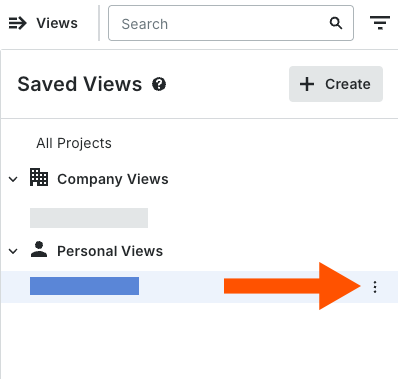
Select Set as Default View.

See Also
Loading related articles...