Log in to Procore for Government from the Procore BIM Plugin
The Procore BIM Plugin connects your Autodesk® software directly to your Procore for Government projects, allowing teams to view coordinated models and resolve design issues without leaving their design tools. Logging in to an organization's dedicated Procore for Government environment from the plugin requires you to authenticate your identity through an organization's approved Single Sign-On (SSO) provider.
Things to Consider
Required User Permissions:
An active Procore for Government Account.
Supported Platforms:
Procore for Government
Procore BIM Plugin for Windows®
Prerequisites
Steps
On your Windows® computer, open your Autodesk® design software.
Click the Procore tab.
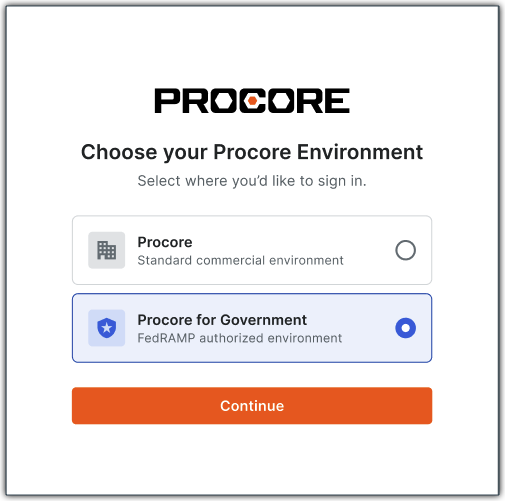
In the Choose your Procore Environment page, select the Procore for Government tile and click Continue.
Follow the on-screen prompts to log in. The steps are the same ones you use to log in with your organization's Single Sign-On (SSO) provider.
