Enable Labor Productivity
Navigate to the project's Admin tool.
Click the General tab under Project Settings.
Scroll to Advanced.
Mark the Labor Productivity for Budget, Change Events, and Change Orders check box.
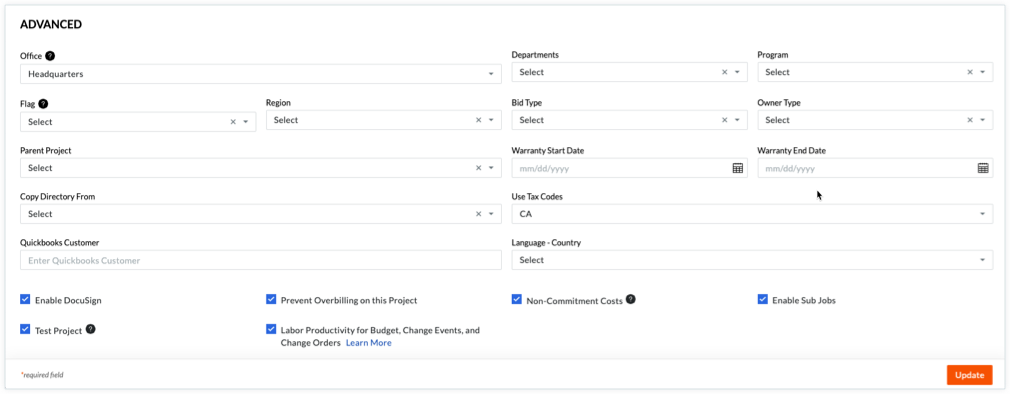
Click Update.
The most used Product Manuals across the site
Highlights of newly released Product Manuals
Navigate to the project's Admin tool.
Click the General tab under Project Settings.
Scroll to Advanced.
Mark the Labor Productivity for Budget, Change Events, and Change Orders check box.
Click Update.